

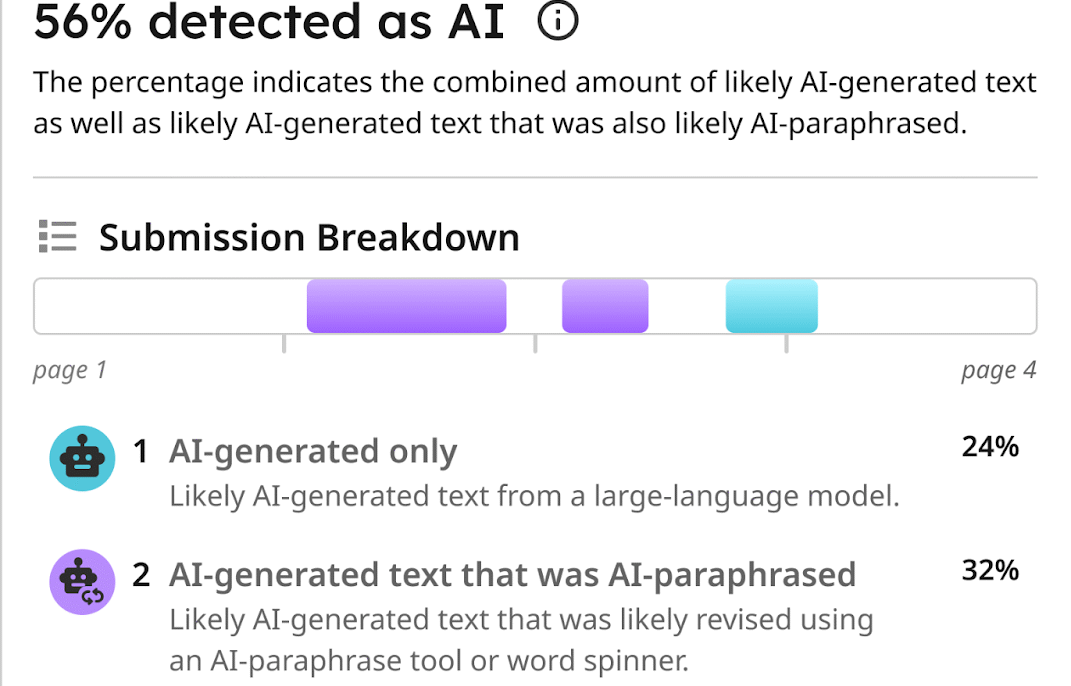
Turnitin has introduced an AI writing detection feature to help educators and institutions identify content that may have been generated or assisted by artificial intelligence tools like ChatGPT , Gemini , or Claude .
Here’s how to use the AI detector on Turnitin effectively in 2025 to ensure originality and uphold academic standards.
Step 1: Submit or Access the Paper in Turnitin
To use the AI detector:
- Log in to your Turnitin Feedback Studio , GradeScope , or LMS-integrated Turnitin account (e.g., Canvas, Blackboard)
- Navigate to the assignment where the student paper was submitted
- Open the submission to view the Similarity Report
Note: The AI detection feature is available only for institutions with eligible licenses. Contact your admin if you don’t see the option.
Step 2: Locate the AI Writing Detection Section
Once inside the Similarity Report , look for the AI Writing indicator — usually displayed at the top of the report alongside the overall similarity score.
What You’ll See:
- A percentage from 0% to 100% , estimating how much of the paper was likely written by AI
- Highlighted sections within the text marked in yellow or orange , indicating possible AI involvement
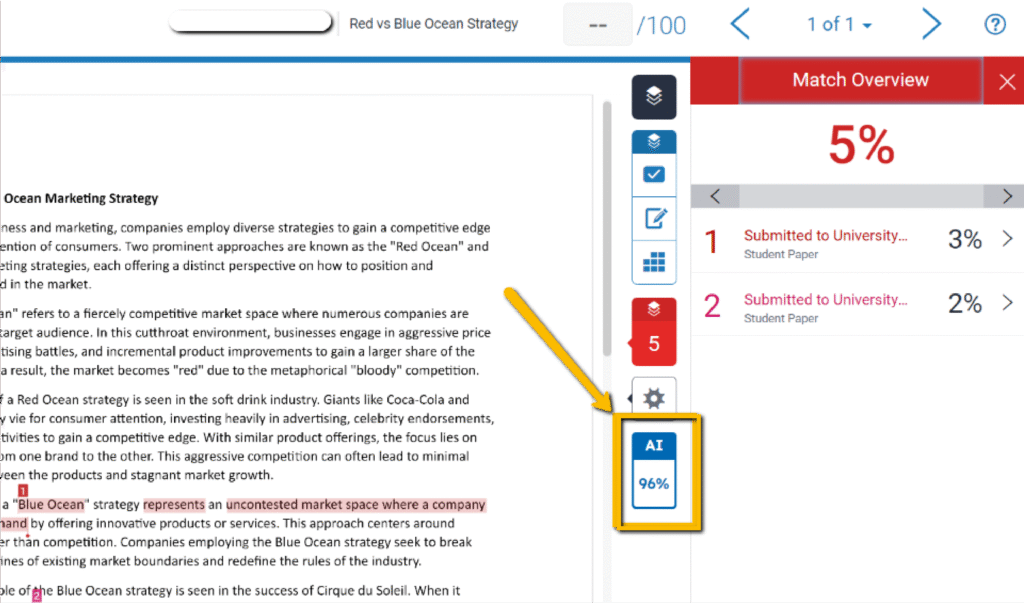
Step 3: Understand the AI Detection Report
Turnitin’s AI checker does not provide a definitive yes/no answer but gives a probability score based on linguistic patterns commonly found in AI-generated text.
Key Elements:
- AI Writing Percentage : Shows the estimated portion of the paper that may be AI-generated
- Highlighted Text : Specific paragraphs or sentences flagged for AI-like structure and fluency
- Reasons for Detection : Includes analysis of sentence complexity, repetition, and vocabulary consistency
The system currently works best with English-language submissions , though support for other languages is expanding.
Step 4: Review Results Critically
While Turnitin’s AI detection tool is powerful, it should be used as a supportive resource , not the sole determinant of misconduct.
Best Practices:
- Read the full paper and consider context before making judgments
- Combine with the plagiarism report for a complete picture of originality
- Talk to the student to assess their understanding and writing style
- Set clear policies about AI use in your course before submitting work
Limitations of Turnitin AI Detection
It’s important to understand what the AI checker can and cannot do:
| Flag text with high probability of being AI-generated | Confirm 100% whether AI was used |
| Analyze large volumes of text quickly | Detect paraphrased or edited AI content reliably |
| Provide breakdowns of AI-generated sections | Identify which AI tool was used |
Also, some AI-assisted or heavily edited content may go undetected.
FAQs: Frequently Asked Questions About Using Turnitin’s AI Detector
Q1: Can Turnitin detect all AI-written content?
No. While Turnitin uses advanced models to detect AI-generated text, some AI-assisted or edited content may go undetected.
Q2: Does Turnitin tell me if a student cheated?
Not directly. The AI checker identifies likelihoods, but educators must interpret the results alongside other evidence.
Q3: Is the AI checker available for all Turnitin users?
The AI writing detection feature is available to institutions with eligible licenses. Contact your Turnitin admin for access details.
0 Comments